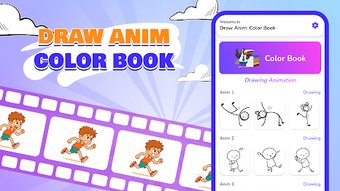

Download Draw Animation Color Book – animation tool, doodle animation, flipbook app, free animation software, draw and animate, animated story, create GIFs
Overview
Draw Animation: Color Book is a free Android application designed to help users transform simple sketches into animated sequences. The software targets creative individuals, hobbyists, and aspiring animators who want to explore animation without requiring advanced technical skills. It functions as a digital flipbook tool, allowing users to create frame-by-frame animations directly on their mobile devices. The core purpose of the app is to simplify the animation process by combining drawing and animation in a single intuitive interface. It enables users to bring their doodles to life, crafting short animated stories from hand-drawn characters and scenes.
Real-world use cases include creating animated greetings, storytelling for children, or personal art projects. The app supports the export of finished animations as GIFs or MP4 files, making it easy to share content across social platforms or with friends and family. While the developer is identified as Draw Animation, no further details about the company or its background are available. The app is intended for entertainment and personal creative expression, offering a lightweight solution for users seeking a fun and accessible way to experiment with animation on Android devices.
Key Features & Capabilities
- Frame-by-frame animation: Users can create animations by drawing individual frames, allowing precise control over movement and timing.
- Doodle-to-animation workflow: Simple sketches can be transformed into animated sequences with minimal setup.
- Flipbook-style interface: The app mimics traditional flipbooks, offering a familiar and intuitive experience for new users.
- GIF and MP4 export: Finished animations can be saved in widely supported formats for easy sharing and viewing.
- On-device creation: All drawing and animation work is done locally, reducing dependency on internet connectivity.
- Story creation tools: Users can design characters and plots, enabling the development of short animated narratives.
These features support a seamless creative workflow, from initial sketching to final export. For example, a user can draw a character in different poses across several frames and then play them back to see motion. The app’s focus on simplicity makes it ideal for beginners and casual creators. The ability to export in multiple formats ensures compatibility with most platforms and devices, enhancing usability across different sharing scenarios.
User Interface, Workflow & Performance
The user interface is designed for touch-based interaction, with a layout optimized for mobile screens. Navigation appears to be centered around a central canvas for drawing, alongside a timeline or frame selector for managing animation sequences. The workflow emphasizes ease of use, allowing users to draw, preview, and edit frames without complex menus or technical barriers. The app’s performance is expected to be efficient given its 25.4 MB size, suggesting a lightweight footprint on Android devices.
However, exact performance details were not specified by the developer. Observations are based on general software behavior patterns for similar mobile animation tools. Stability during prolonged use or with large animation sequences was not documented.
Resource usage, including CPU and RAM consumption, remains unspecified. Users may experience varying performance depending on device capabilities, though the app’s small size indicates low system demands. The developer did not provide additional system requirements, so compatibility may vary across different Android models and versions.
Compatibility & System Requirements
Draw Animation: Color Book is designed for Android devices. The app’s version is listed as 1.0, and it has a file size of 25.4 MB. It is available as a free download, with no cost to users. The developer did not specify exact system requirements, including minimum Android version, processor, or memory needs. Compatibility information is limited to the platform, with no mention of specific device models or hardware specifications.
Given the app’s size and focus on basic animation, it is likely compatible with a wide range of Android smartphones and tablets. However, users should be aware that performance may vary depending on device capabilities. The developer did not provide information on whether the app supports external storage, background processing, or multi-window mode. No details were shared regarding updates, automatic syncing, or cloud integration.
Pros and Cons
Pros
- Free to download and use, making it accessible to a broad audience.
- Simple, intuitive interface ideal for beginners and casual users.
- Supports creation of animated stories from hand-drawn sketches.
- Exports animations as GIFs and MP4 files for easy sharing.
- Lightweight design with a small file size of 25.4 MB.
- On-device processing ensures privacy and offline functionality.
Cons
- Exact system requirements were not provided by the developer.
- Performance details, including CPU and RAM usage, are unspecified.
- Limited information on update frequency or future development plans.
- No mention of advanced animation tools such as onion skinning or keyframe interpolation.
- Export options are basic and may not support high-resolution output.
FAQ Section
Is Draw Animation: Color Book available for free?
Yes, the app is free to download and use, with no in-app purchases or subscription fees mentioned in the provided information.
Can I use this app offline?
Yes, since all animation creation and editing is done locally on the device, the app does not require an internet connection to function.
What file formats can I export my animations in?
Animations can be saved as GIF or MP4 files, both of which are widely supported across devices and platforms.
Does the app support Android tablets?
The app is designed for Android devices, but specific compatibility with tablets was not confirmed. It may work on tablets depending on screen size and system configuration.
How often are updates released?
The release date of the current version is 2024-03-15. No information was provided about update frequency or release schedule.
Final Thoughts + CTA
Draw Animation: Color Book offers a straightforward and enjoyable way to create animations from doodles on Android devices. Its focus on simplicity, combined with the ability to export in common formats, makes it a compelling choice for users seeking a free animation tool. While detailed technical specifications and advanced features are not available, the app delivers a functional experience for casual creators and beginners. The lightweight design and offline capabilities enhance accessibility and privacy. For those exploring animation for fun, storytelling, or creative expression, this app provides a low-barrier entry point into the world of digital animation.
Download Draw Animation Color Book now





.png)

